Relations
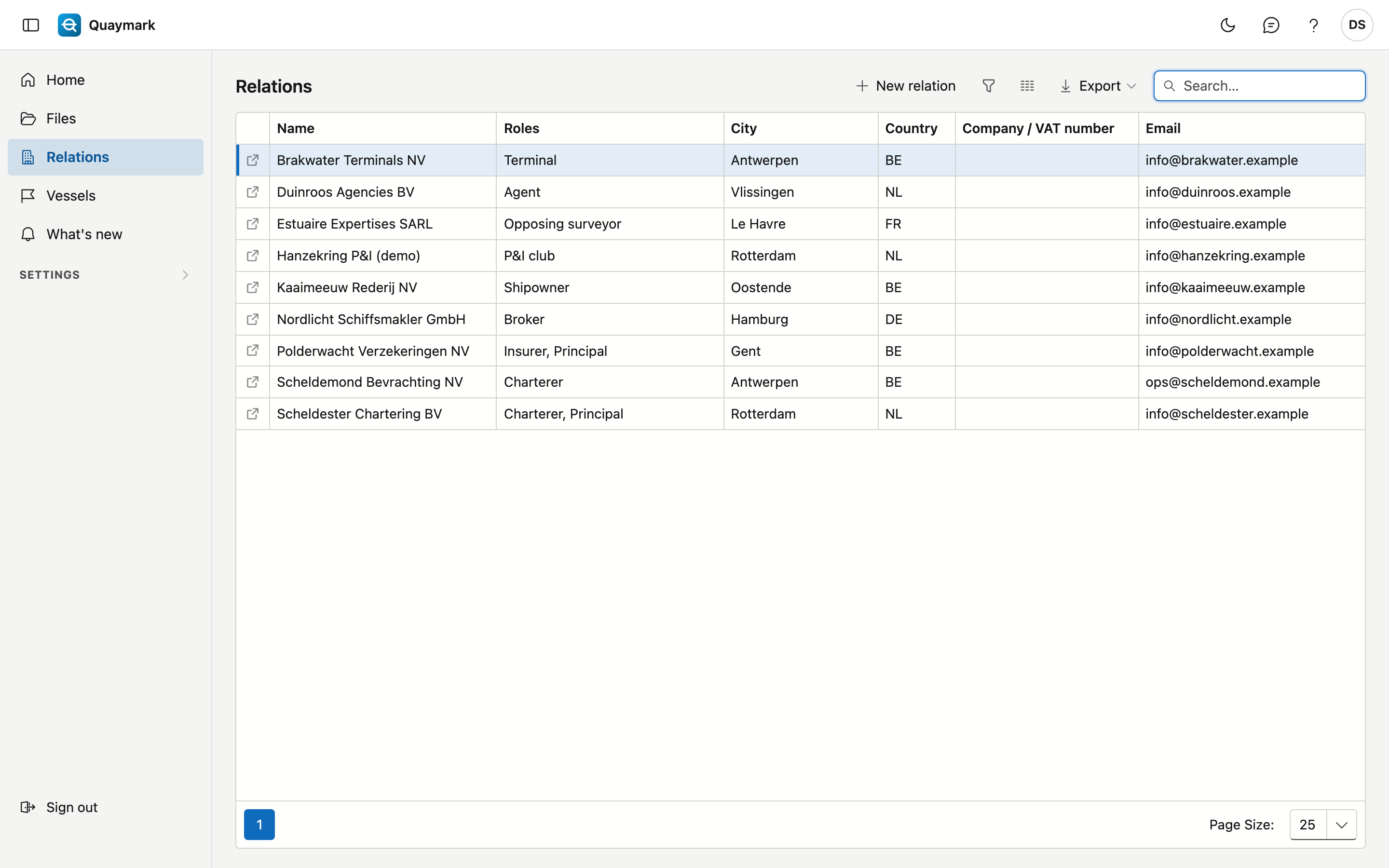
All parties the office works with, in one list: principals, shipowners, charterers, insurers, P&I clubs, terminals, agents, opposing surveyors, brokers and correspondents.
Opening the screen
In the menu on the left, click Relations.
The list
- The Roles column shows in which capacity a relation appears in your files; one relation can have several roles.
- The search box searches name, role, city, country, company number and email.
- Double-click a row to open the record; the arrow at the start of the row opens it in a new tab. New relation creates one.
Relation
The details of one relation.
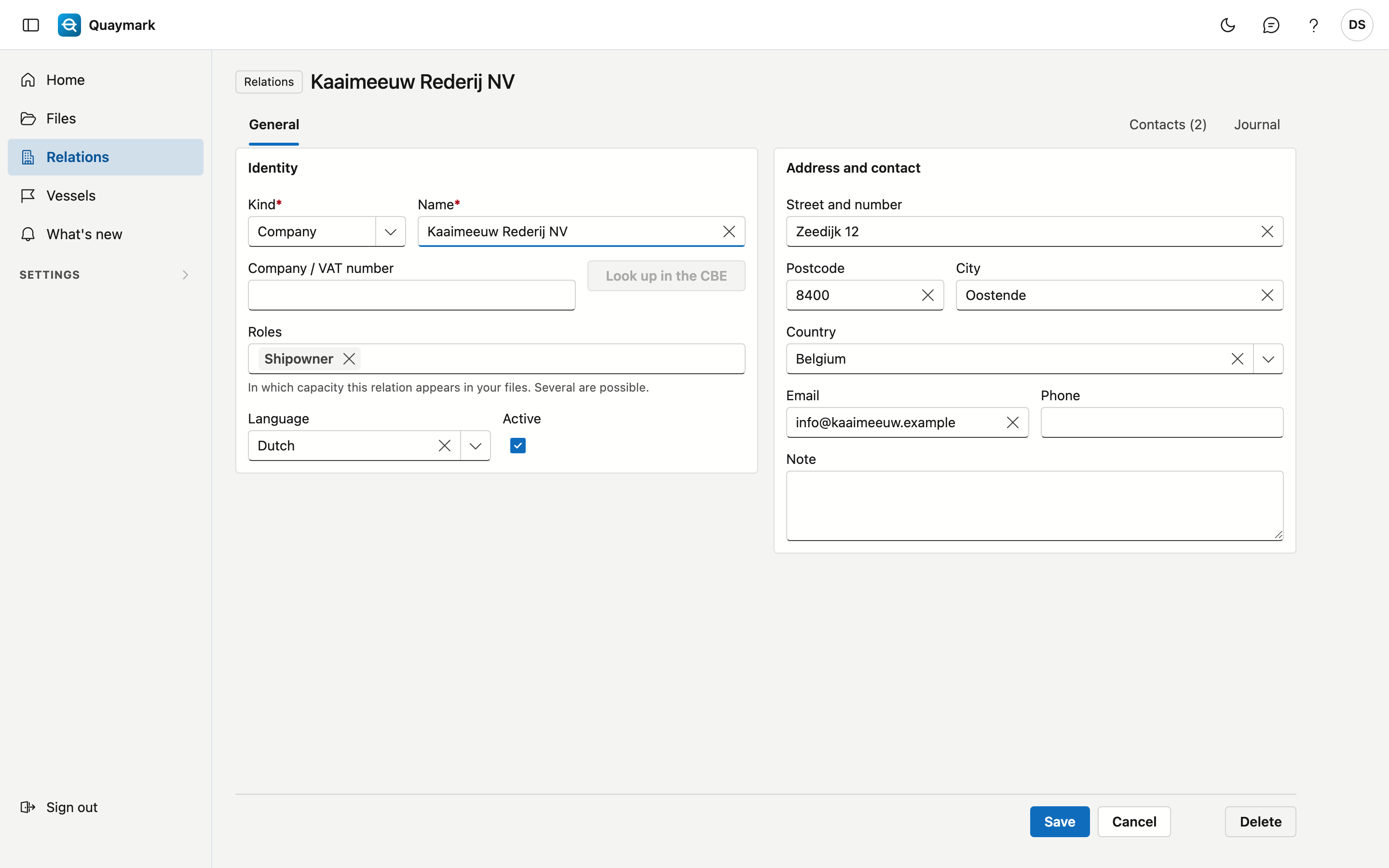
- Identity: kind (company or person), name, company or VAT number, roles, language and active. A company number occurs only once per country.
- Look up in the CBE fills in the name and address from the Belgian Crossroads Bank for Enterprises. This only works for Belgian companies.
- Address and contact: street, postcode, city, country, email, phone and a note.
- Set a relation you no longer use to inactive: it then disappears from the choice lists of new files, while older files keep showing it.
A saved relation has the Contacts tab (name, position, email, phone, language) and the journal with notes, tasks, attachments and history. Delete moves the relation to the recycle bin.